All templates
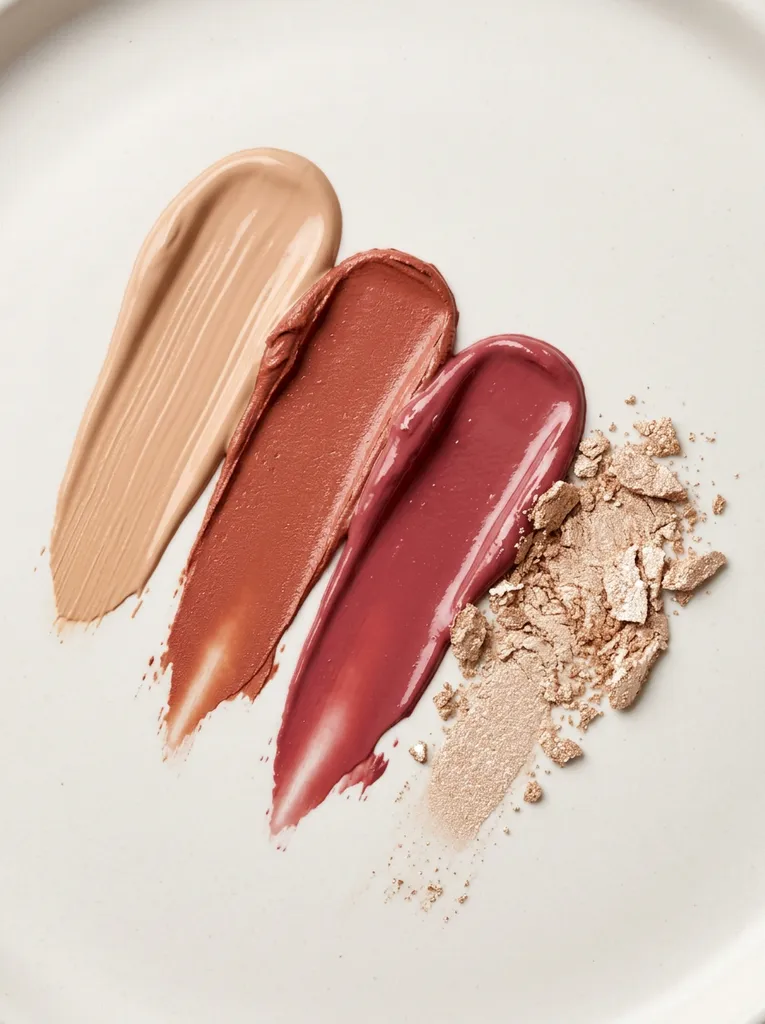
Cosmetics swatch texture shot
Editorial smears and swatches that show colour and texture up close. For makeup brands showing a shade range, finish or new launch.
- No photo neededMade from the description
- On-brandAdd your brand kit
- VariationsRegenerate any image
Starter scene
“Cosmetics texture swatches: smooth diagonal smears of foundation, lipstick and cream blush in [nude, terracotta and rose] shades on a clean off-white surface, with a crushed shimmer highlighter, glossy creamy detail, soft even studio light, minimal editorial beauty photography from above.”
Studio opens with this filled in. Change any word before you generate.
- Format: Pinterest pin, 3:4
- Best for: Beauty & Skincare
- Category: Beauty, Salon & Wellness
- No photo needed
Tips for best results
- Name your launch shades, e.g. berry, coral and mocha.
- Say matte or glossy to show the right finish.
- Colours are AI-made: don't use them as exact shade references.
What it does well
- Texture and finish close-ups
- Shade range visuals
- Pinterest-ready format
What it can't do
- Match your exact product shades
- Show swatches on real skin
- Add shade names
Related templates
View all templates
Create product photos like this
Start from this scene with your own product. Free credits when you sign up, no card needed.