All templates
Before and after split ad
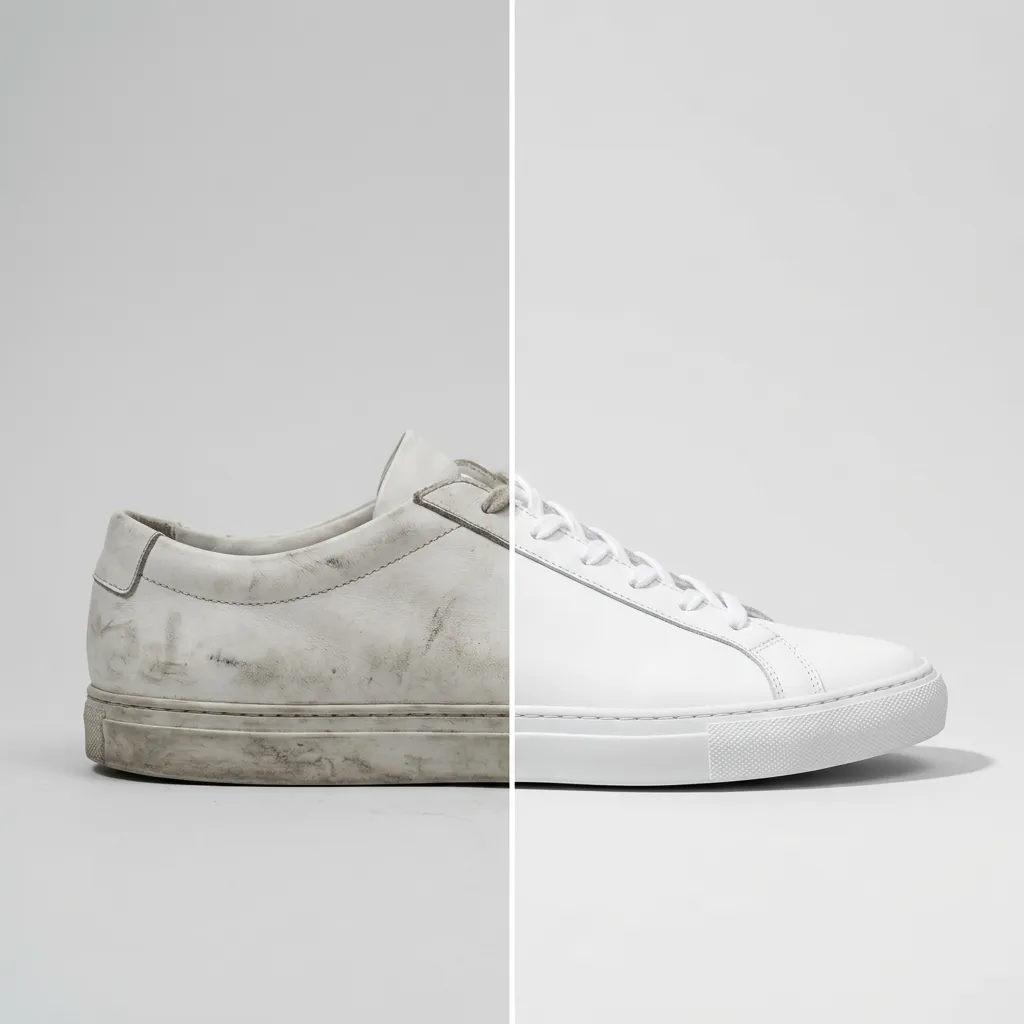
A split image with the 'before' on the left and the 'after' on the right, same angle on both sides. Shows what your product changes at a glance.
- No photo neededMade from the description
- On-brandAdd your brand kit
- VariationsRegenerate any image
Starter scene
“Before-and-after split image divided down the middle by a thin white line, showing the same [white leather sneaker] in the same position on both halves against a light grey backdrop: dusty and dull on the left, spotless and fresh on the right. Clean space above each for labels.”
Studio opens with this filled in. Change any word before you generate.
- Format: Facebook / Meta ad, 1:1
- Best for: Any industry
- Category: Advertisements & Promotions
- No photo needed
Tips for best results
- Replace the bracket with what your product improves, like a tiled floor or a car seat.
- Add 'Before' and 'After' labels yourself in your design tool.
- Only show results your product really delivers; ad platforms check claims.
What it does well
- Side-by-side split layout
- Same angle on both halves
- Space for labels
What it can't do
- Use your own before and after photos
- Show changes to a real person's face, body or skin
Related templates
View all templates
Create product photos like this
Start from this scene with your own product. Free credits when you sign up, no card needed.